
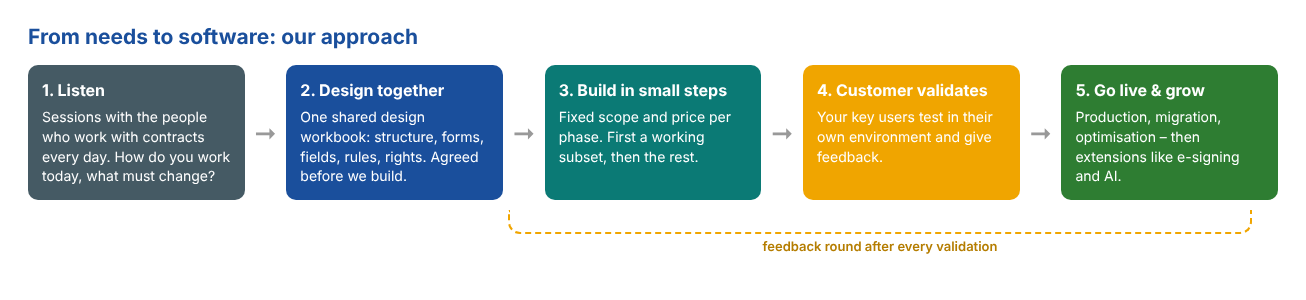
Every organisation manages contracts, but no two organisations do it the same way. Standard software forces you to adapt to the tool. We prefer the opposite: start from what the customer really needs, and shape the software around it. In this article we show how we did that for a Belgian customer with several divisions and many contract types, who wanted one place for all their contracts in SharePoint contract management based on Shareflex.
No code this time, but the management view: how do you get from a list of wishes to working software, on time and within budget?
1. Start with the business, not with the software
The customer had contracts in an existing system and in many mailboxes and folders. Before we talked about screens, we talked about the organisation:
- Who owns which contracts? Facility, Finance, HR, IT, Legal and Operations – and within Operations again Energy, Wireline and Wireless.
- Which contracts are sensitive? Intercompany, financing and management contracts must stay with a small group of people.
- What must the system watch? Renewals, notice periods and cancellation deadlines – the moments where contracts cost money if nobody acts.
- What is there today? We went through the fields of the current contract system, so nothing important would be lost in the move.
2. Design together in one workbook
All of this came together in a single, shared design workbook. Not a thick specification nobody reads, but a set of clear tabs that business users and developers can both work with:
- Divisions and rights – the structure: country, division, sub-division and contract type, and who may read or edit what.
- Basic contract form – every field, its type, default value and when it is mandatory.
- Extra contract fields – the clauses that only matter for some contract types, such as liability, penalties and GDPR for customer contracts, or an SLA for software contracts.
- Contracting partner and Relations – partner data, litigation, documents, contact persons, and how contracts relate to each other (framework agreement, subcontract, replaces).
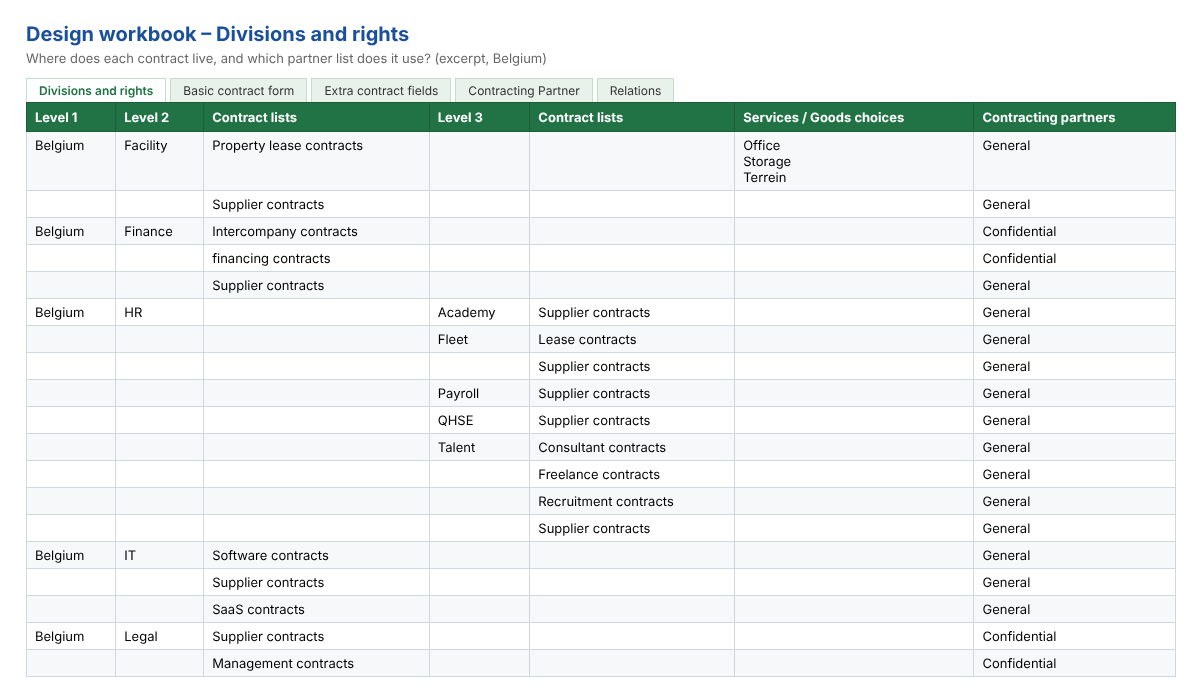
The power is in the details. The form design does not just list fields; it describes behaviour. For example: the notice period fields only appear for the renewal type that needs them, and they only become mandatory once a contract is active. Because those rules were agreed on paper first, nobody was surprised on screen later.
3. Build in phases, with a fixed scope and price
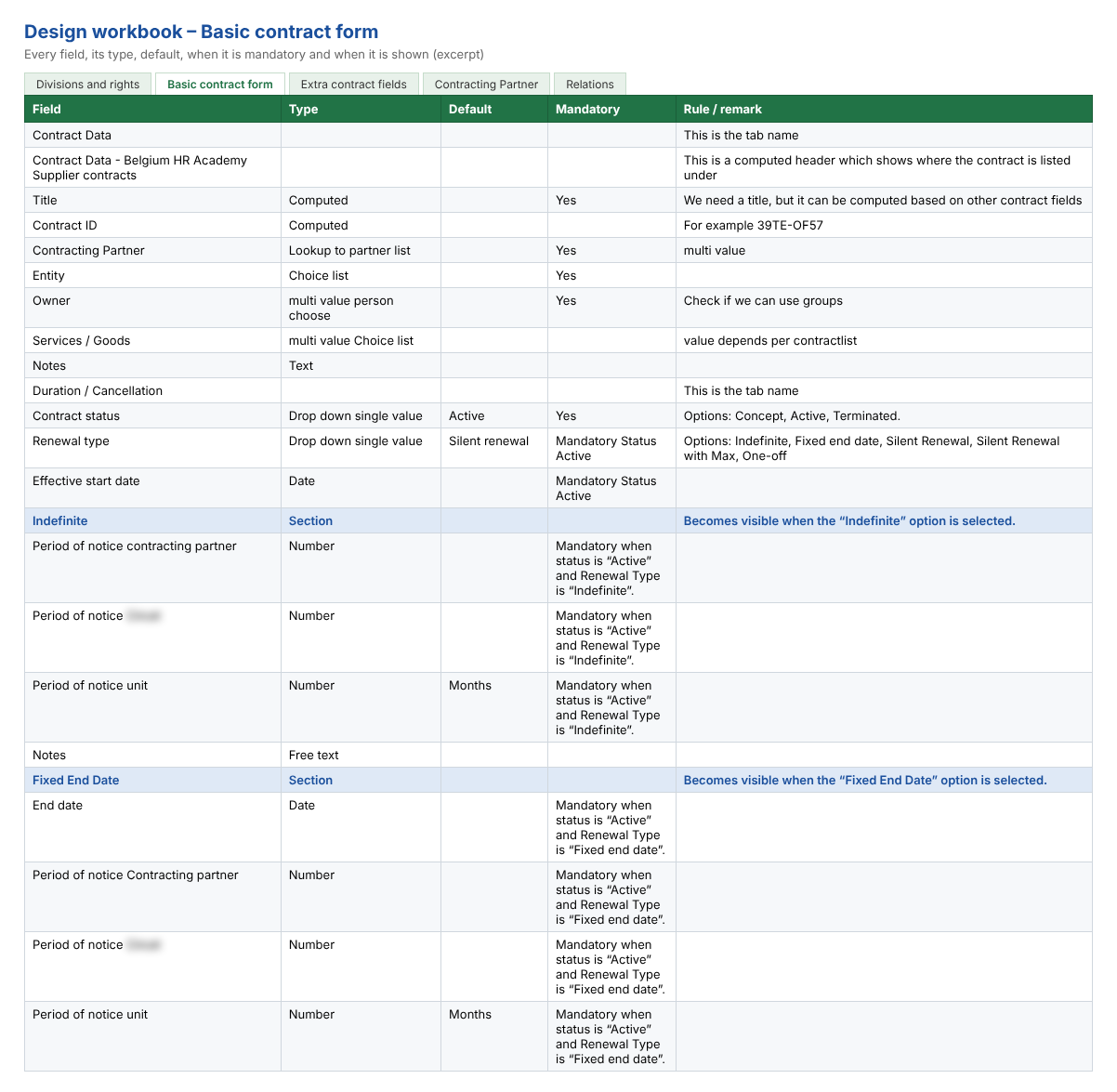
We split the project into clear phases, each with a fixed scope, a fixed price and a delivery date:
- Phase 1 – the first contract form, the partner form and a first part of the structure. Something real to look at, early.
- Phase 2 – all remaining forms, the complete rights structure, relations, e-mail notifications and the migration of existing content.
- Phase 3 and 4 – go-live in production and a round of optimisation.
- Phase 5 – optional extensions, each priced separately: digital signing with DocuSign and Oodrive, an AI-powered PDF scan and an AI chatbot.
Payment was linked to acceptance: part upfront, the rest when the customer accepts the phase. That keeps both sides focused on the same goal – software that works for the users.
4. Validate after every step
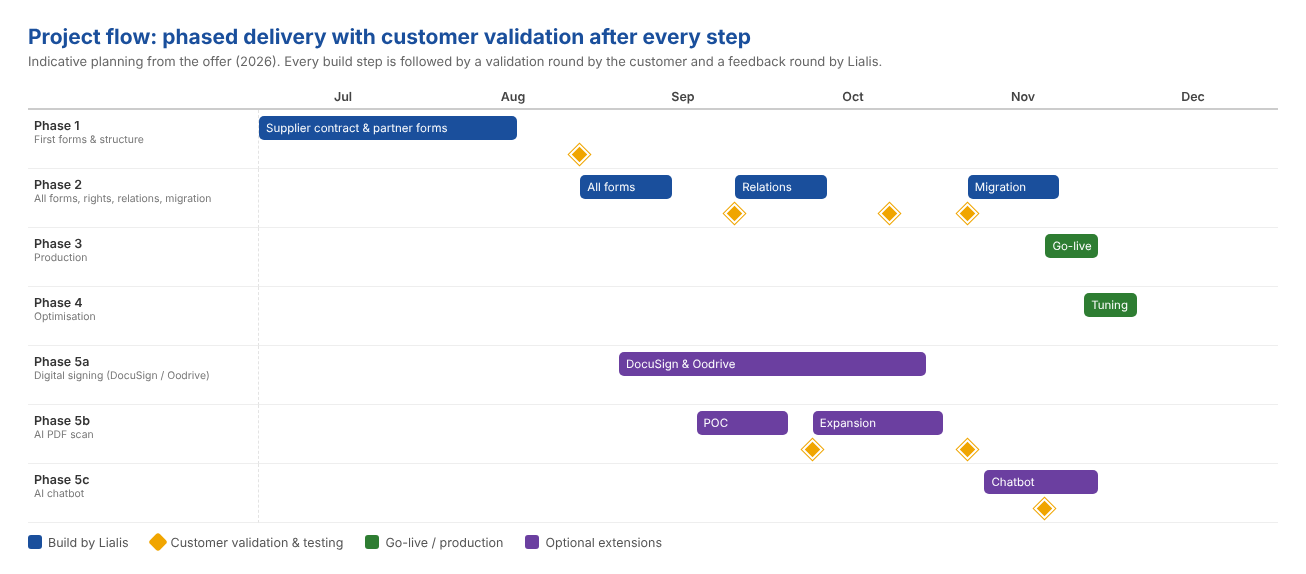
The most important element of the planning is not a build step, but the diamonds in the timeline: after every delivery, the customer’s key users test in their own environment, and we process their feedback in a fixed round. Small steps, short loops. Misunderstandings surface in days, not months.
This also made room for good ideas along the way. The optional extensions were planned in parallel, so the customer could decide per extension, based on what they had already seen working.
5. The result
The result is a contract management module that speaks the customer’s language: their divisions, their contract types, their clauses and their rights – with dozens of contract areas generated from the agreed design. On top of that the extensions: signing contracts with Oodrive and DocuSign, an AI PDF scan that turns a contract PDF into a registered contract, and a safe Copy Contract feature.
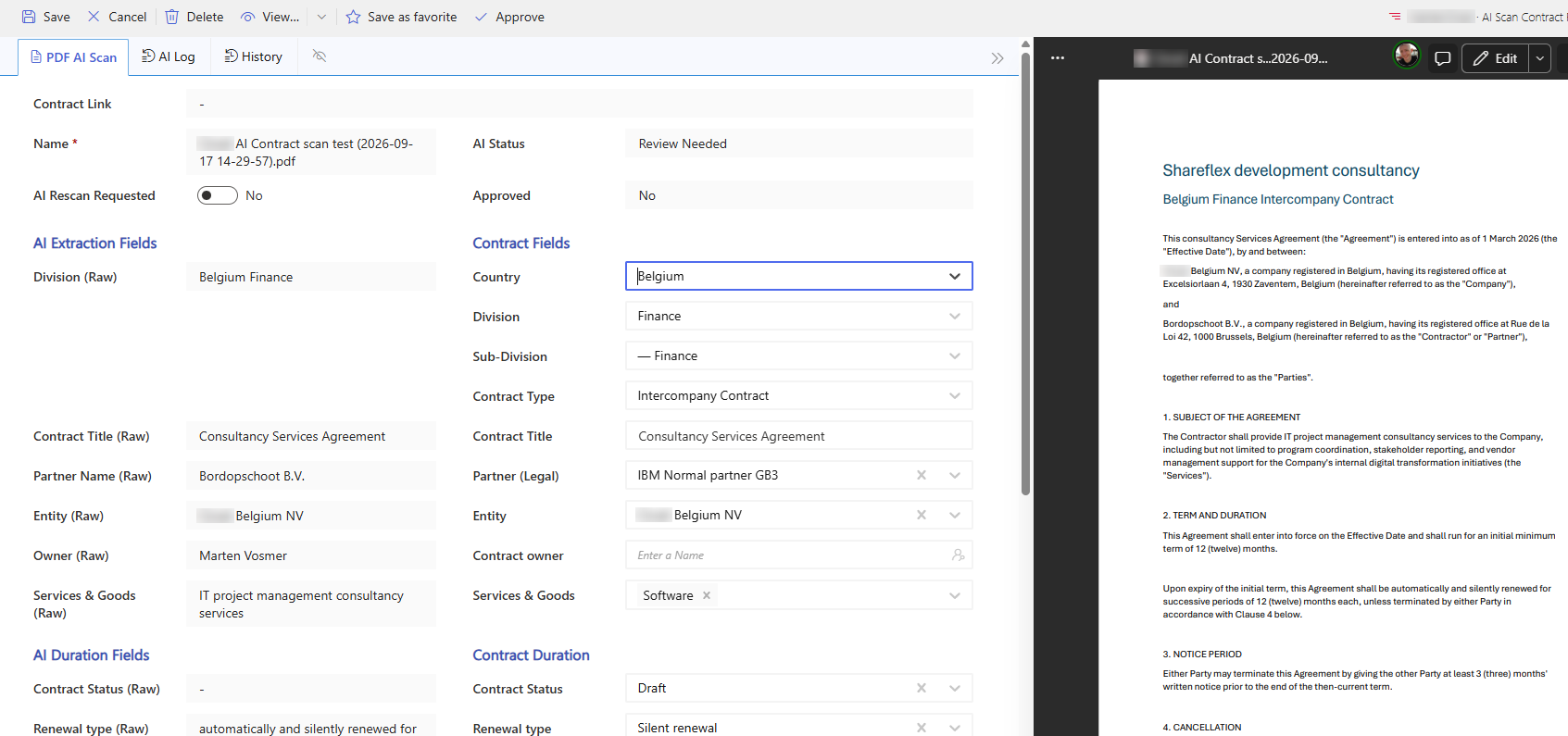
And because the design was clear and every step was validated, the project moved quickly: by the end of September the application was running in the customer’s own Microsoft 365 environment, well ahead of the go-live planned for November.
What management gets out of it
- Software that fits the organisation – not the other way around.
- Predictable cost – a fixed price per phase, with payment on acceptance.
- Early results – a working first version within weeks, not at the end.
- Low risk – validation after every step, so course corrections stay small.
- Room to grow – extensions such as e-signing and AI can be added when the business is ready.
- Your own environment – everything runs in your own Microsoft 365 tenant.
Your contracts, your way?
Do you recognise the challenge of fitting contract management to your organisation instead of the other way round? Look at Shareflex Contract or get in touch. We are happy to start with a conversation about how you work today.
