
How do you build a complete SharePoint solution – dozens of sites, hundreds of columns, forms and business rules – in weeks instead of months? At Lialis we no longer click lists and columns together by hand. Everything is code: written in Visual Studio Code, largely by Claude, Anthropic’s AI, and rolled out to the customer’s SharePoint by Shareflex itself. In this post we show how that works.
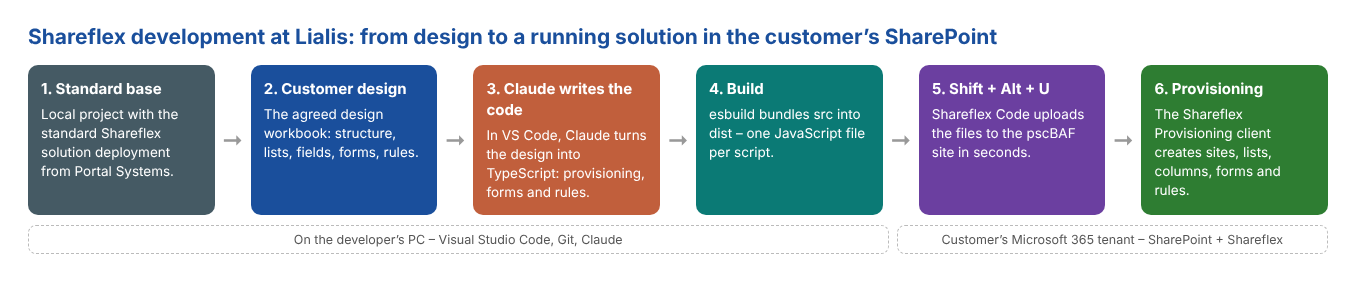
1. A project on our PC, based on the Shareflex standard
Every project starts as a folder on the developer’s PC, under Git. The base is the standard solution deployment that Portal Systems, the maker of Shareflex, supplies – for example for Shareflex Contract or Shareflex Quality Documents. That gives us a proven foundation: the core lists, forms and rules that every customer gets.
On top of that comes everything that makes the customer unique, straight from the design we agreed with them: their structure of countries and divisions, their contract or document types, their fields, their rules. (Read how we arrive at that design in From customer needs to tailor-made contract management.)
2. Claude does the programming
This is where things changed the most. The customising code – provisioning scripts, form logic, business rules – is written by Claude, inside Visual Studio Code. We describe what is needed, Claude writes the TypeScript, and we review, test and steer. The project has its own instructions for Claude: how the Shareflex APIs work, which conventions we use, what not to touch.
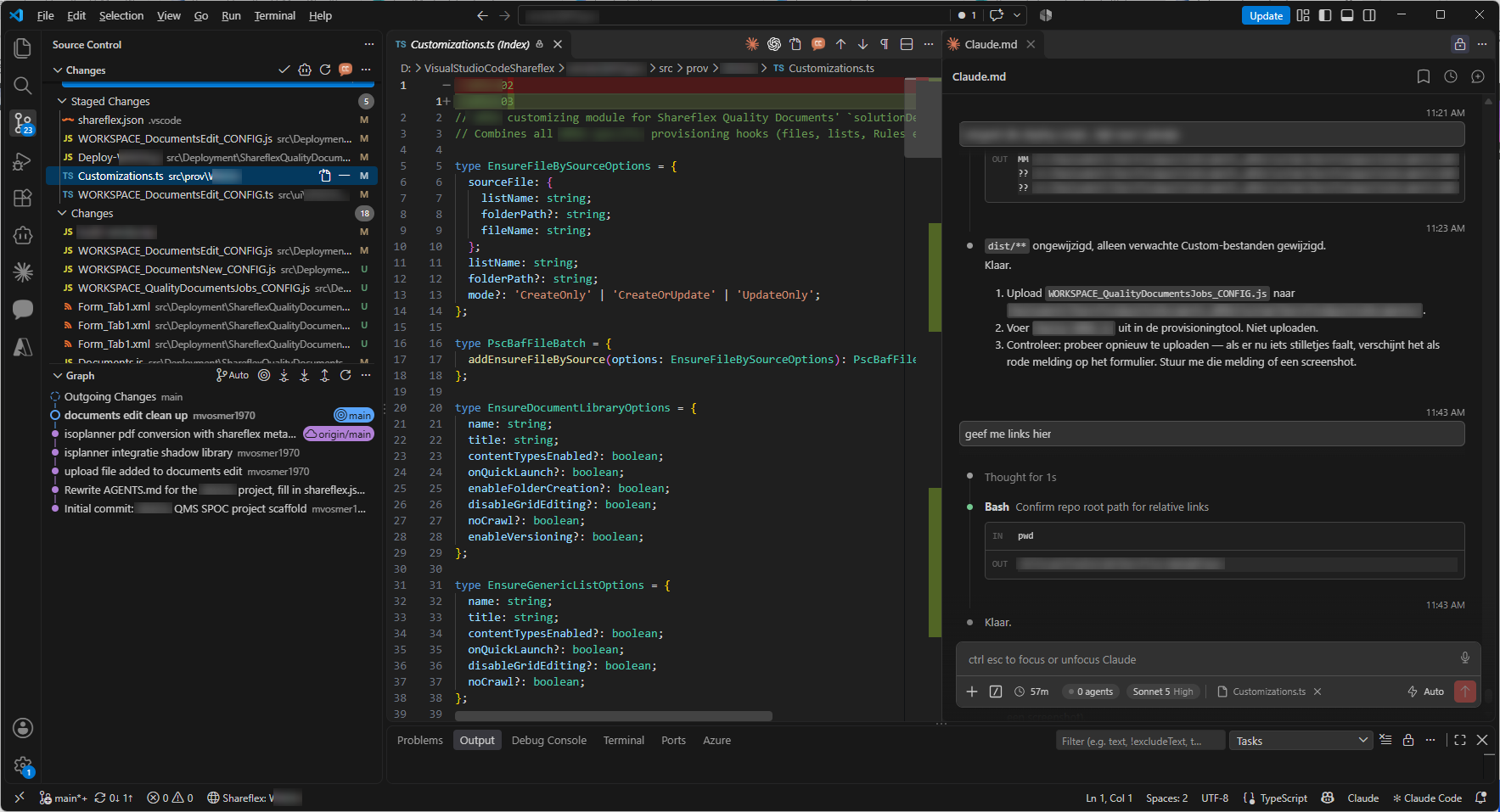
The result is not a black box. Everything lands in Git, with a clear history, and every change can be reviewed like any other code. The features we wrote about earlier – Copy Contract, the AI PDF scan and PDF Sign with Oodrive and DocuSign – were all built this way.
3. No more clicking lists and columns together
The coolest part: we never create a list or column by hand. With Shareflex Provisioning JS the whole SharePoint structure is described in code. According to the Shareflex documentation it is the successor of the older XML-based scripts, and because it works with JavaScript it is much faster and far more flexible.
Provisioning works with “batches”: you collect all operations of one type – lists, fields, views, navigation, forms – and execute them in one go. And it is “ensure” logic: if a list already exists it is updated, otherwise created. You can run the same script again and again.
// Every contract area from the design becomes a site with its own lists - generated, not clicked
export async function createContractWebLists(prov: ShareflexProvisioning, config: SolutionInfo) {
  for (const contractWeb of config.contractWebs) {
    const listBatch = prov.createListBatch(contractWeb.webUrl);

    listBatch.addEnsureGenericList({
      name: 'Contracts',
      title: config.contractsList.listTitle,
      enableVersioning: true,
    });

    for (const [listName, listConfig] of Object.entries(config.contractsList.secondaryCoreLists)) {
      if (listConfig.excludedContractTypes.includes(contractWeb.contractType.name)) continue;
      listBatch.addEnsureGenericList({ name: listName, title: listConfig.listTitle, enableVersioning: true });
    }

    await listBatch.execute({});
  }
}
Columns follow the same pattern. Core fields go into every contract list; the extra clause fields only appear for the contract types that need them, exactly as the design prescribes:
// Columns per contract type: core fields for everyone, extra clause fields only where the design says so
const contractWebFieldBatch = prov.createListFieldBatch(contractWeb.webUrl);
contractWebFieldBatch.addEnsureListFields({
  listName: 'Contracts',
  ensureFields: toEnsureFields(
    prov,
    config.contractsList.coreFields,
    config.contractsList.customFields.filter(field => !field.excludedContractTypes.includes(contractWeb.contractType.name)),
  ),
});
Change the design, run the script again, and SharePoint follows. That is how one design becomes dozens of consistent sites, without a single manual step.
4. Build: TypeScript in, JavaScript out
We write in TypeScript, with full IntelliSense for the Shareflex APIs: Shareflex supplies type definitions (such as ShareflexRules.d.ts) for exactly that purpose, see the Visual Studio Code integration. A small build script with esbuild turns the sources in src into one JavaScript file per script in dist – the standard Shareflex project structure.
// esbuild turns the TypeScript sources into the JavaScript files Shareflex runs
addProvisioningScript('Deploy-Customer.ts', 'Provisioning/Deploy-Customer.js');
addRulesScript('ListEventsConfiguration/Custom/LialisContract/PDFSignSubmit.ts', 'ListEventsConfiguration/Custom/LialisContract/PDFSignSubmit.js');
addRulesScript('ListEventsConfiguration/Custom/LialisContract/AIScanProcessing.ts', 'ListEventsConfiguration/Custom/LialisContract/AIScanProcessing.js');
addUiScript('FormConfiguration/ROOT_PDFSignSettings/UI.ts', 'FormConfiguration/ROOT_PDFSignSettings/UI.js');
// ...dozens more
5. Shift + Alt + U: upload with one keystroke
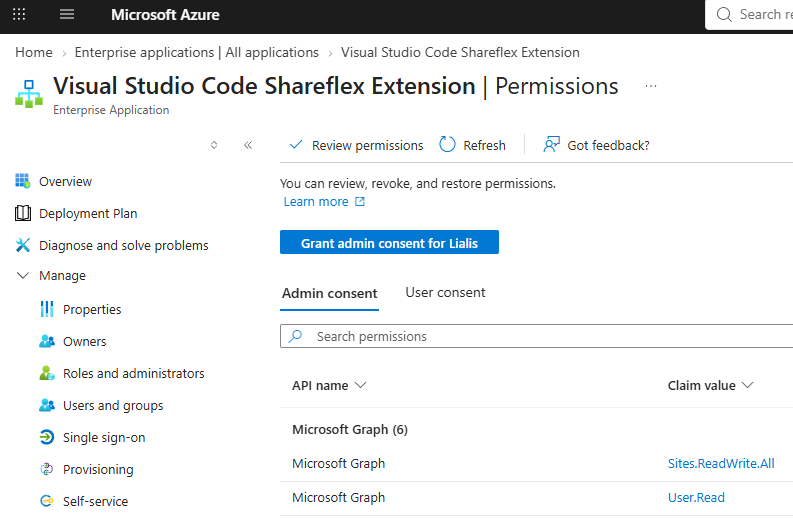
The built files need to go to the customer’s SharePoint, to the so-called pscBAF site where Shareflex keeps its scripts and deployment packages. For that we use Shareflex Code, the Visual Studio Code extension from Portal Systems. Pick the target site once, then press Shift + Alt + U and the file lands in the right place. During development we upload dozens of files a day; each upload takes seconds and always goes to the right folder.
For IT departments, it is good to know how this is secured. Shareflex Code is an enterprise application in Microsoft Entra ID that only uses delegated permissions: it works only for a signed-in user and never beyond that user’s own rights. Sign-in goes through the normal Microsoft 365 login with MFA, files go straight from VS Code to the configured SharePoint site, and the customer decides who may use the app (“assignment required”).
6. Provisioning does the rest – and fast
Finally the deployment script is started in the Shareflex Provisioning Web Client on the customer’s site. Shareflex runs it in the background and creates or updates everything: sites, lists, columns, views, forms, navigation and the business rules.
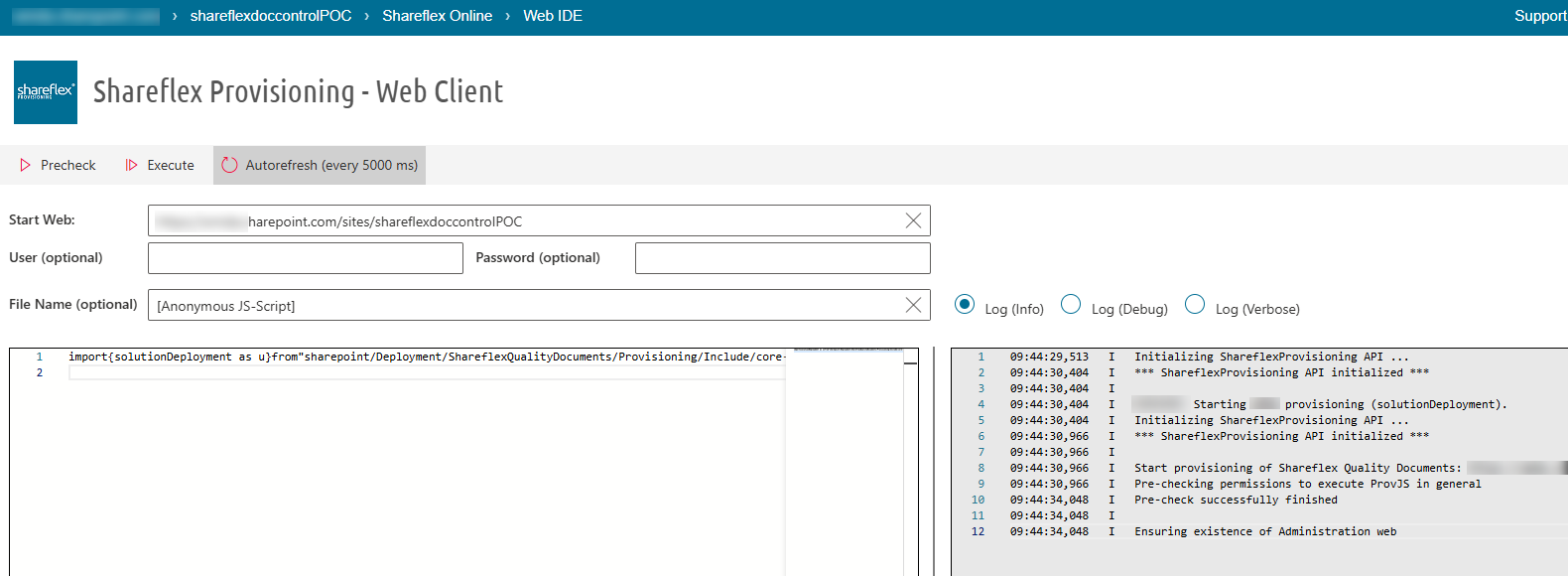
It is fast for a reason: Shareflex keeps an MD5 hash of every file on the pscBAF site and only copies files that actually changed (optimized file provisioning). An update run therefore takes minutes, not hours. And because the provisioning client runs the job as a background task, you can close the browser and check the job list later.
What it brings our customers
- Speed – from design to a working solution in weeks; changes are live the same day.
- Consistency – every site is generated from the same design, so no differences between test and production.
- Repeatability – a new environment or an extra division is a script run, not a project.
- Quality and control – all code in Git, reviewed and tested; AI speeds up the work, people decide.
- Security – everything runs in the customer’s own Microsoft 365 tenant, with delegated rights only.
Curious?
Want to see how quickly your processes can run on SharePoint with Shareflex? Read more about installing Shareflex on your SharePoint tenant, look at Shareflex Contract or get in touch.
