
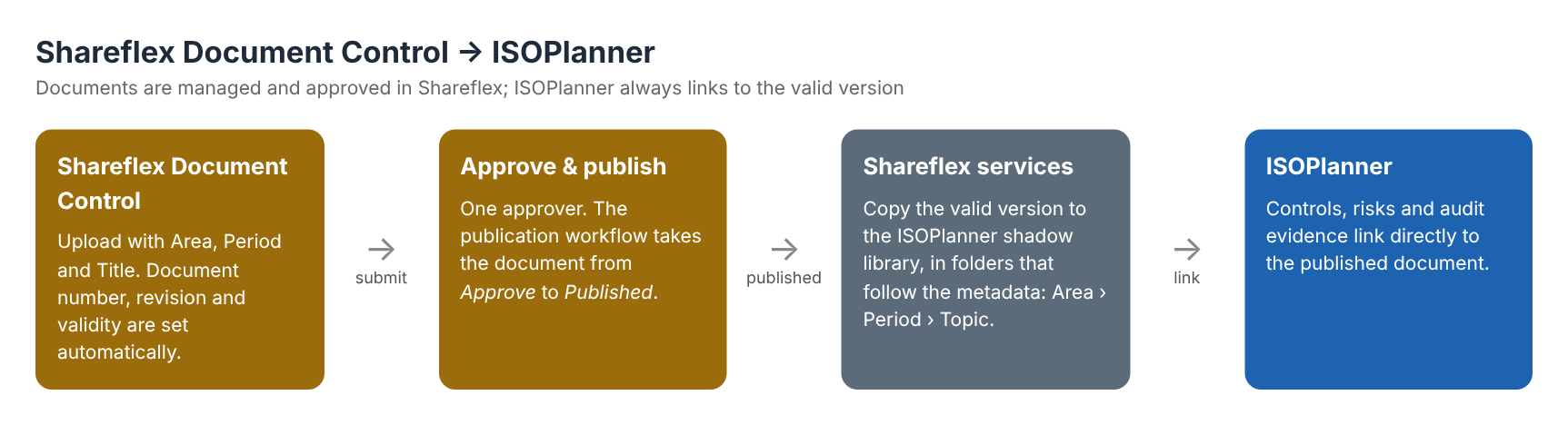
Many organisations that work towards ISO 27001, ISO 9001 or NIS2 use ISOPlanner to run their management system. At the same time they want real document control: numbered documents, revisions, approval and publication. In a recent project we connected the two: documents are managed and approved in Shareflex Document Control, and ISOPlanner always links to the valid, published version. No double administration, no outdated copies.
What is ISOPlanner?
ISOPlanner is a Dutch compliance platform built on Microsoft 365. It helps organisations set up and keep up a management system for standards like ISO 27001, ISO 9001, NIS2, NEN 7510 and many more: requirements and controls, risk assessments, the annual audit plan, tasks and evidence. Like Shareflex, it stores documents in the organisation’s own SharePoint and works in Teams and Outlook. That makes the two a natural fit.
What ISOPlanner does not aim to be is a full document control system with numbering, revisions and a formal publication workflow. That is exactly what Shareflex Document Control adds.
Document control in SharePoint with Shareflex
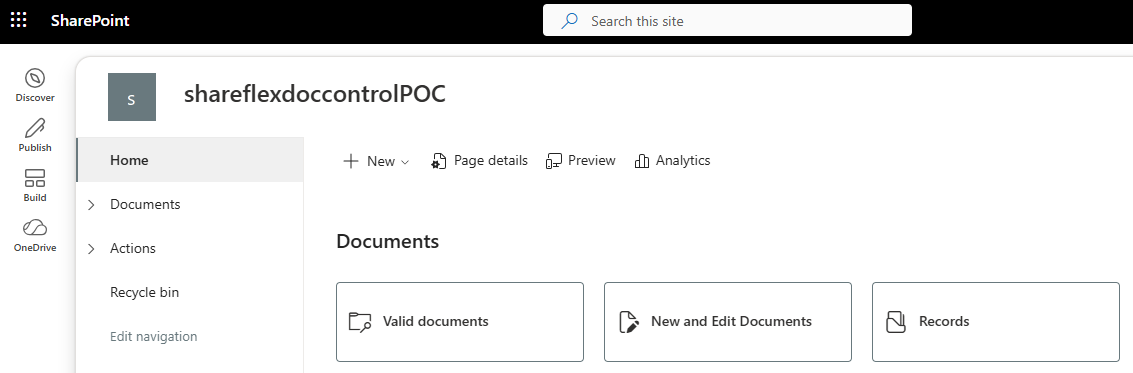
The client works in a Shareflex Document Control site in SharePoint with three entry points: valid documents, new and edited documents, and records.
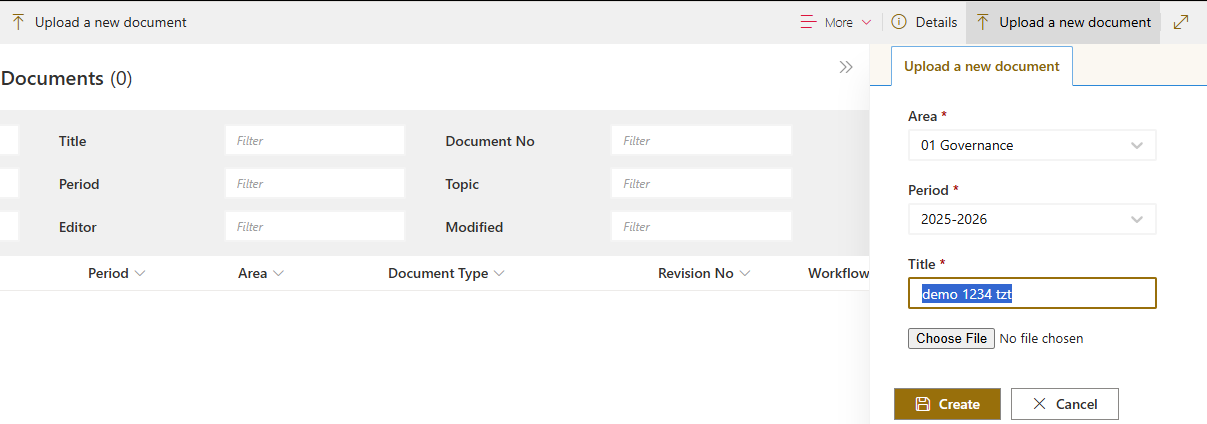
Starting a new document is simple. The user chooses an area, a period and a title, and adds the file.
Metadata adjusted to the client’s management system
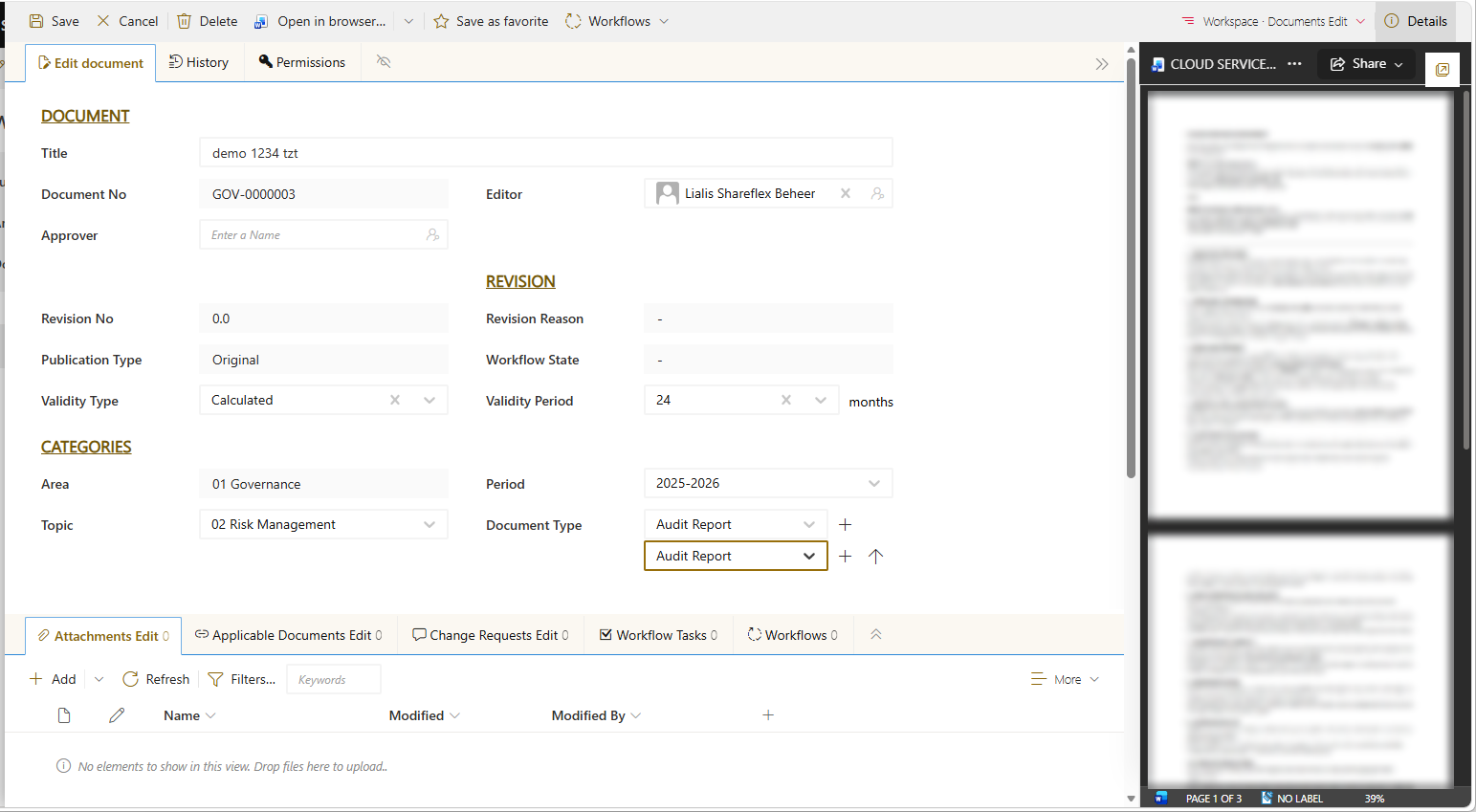
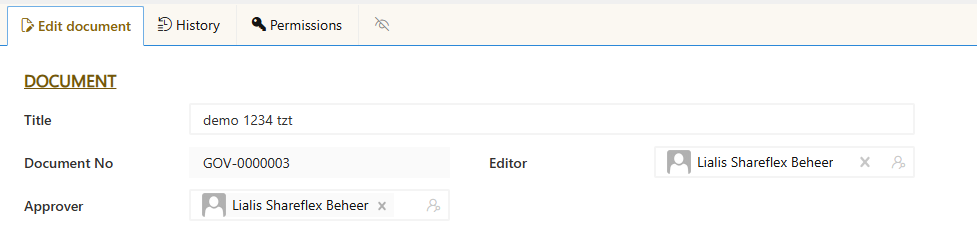
We adjusted the metadata to match how the client organises its management system, and therefore how documents must appear in ISOPlanner:
- Area – the main chapters of the management system, such as Governance, Risk Management, Assurance and Improvement.
- Topic – the subject within an area.
- Period – the year or cycle the document belongs to.
- Document type – one or more types per document, such as policy, procedure or audit report.
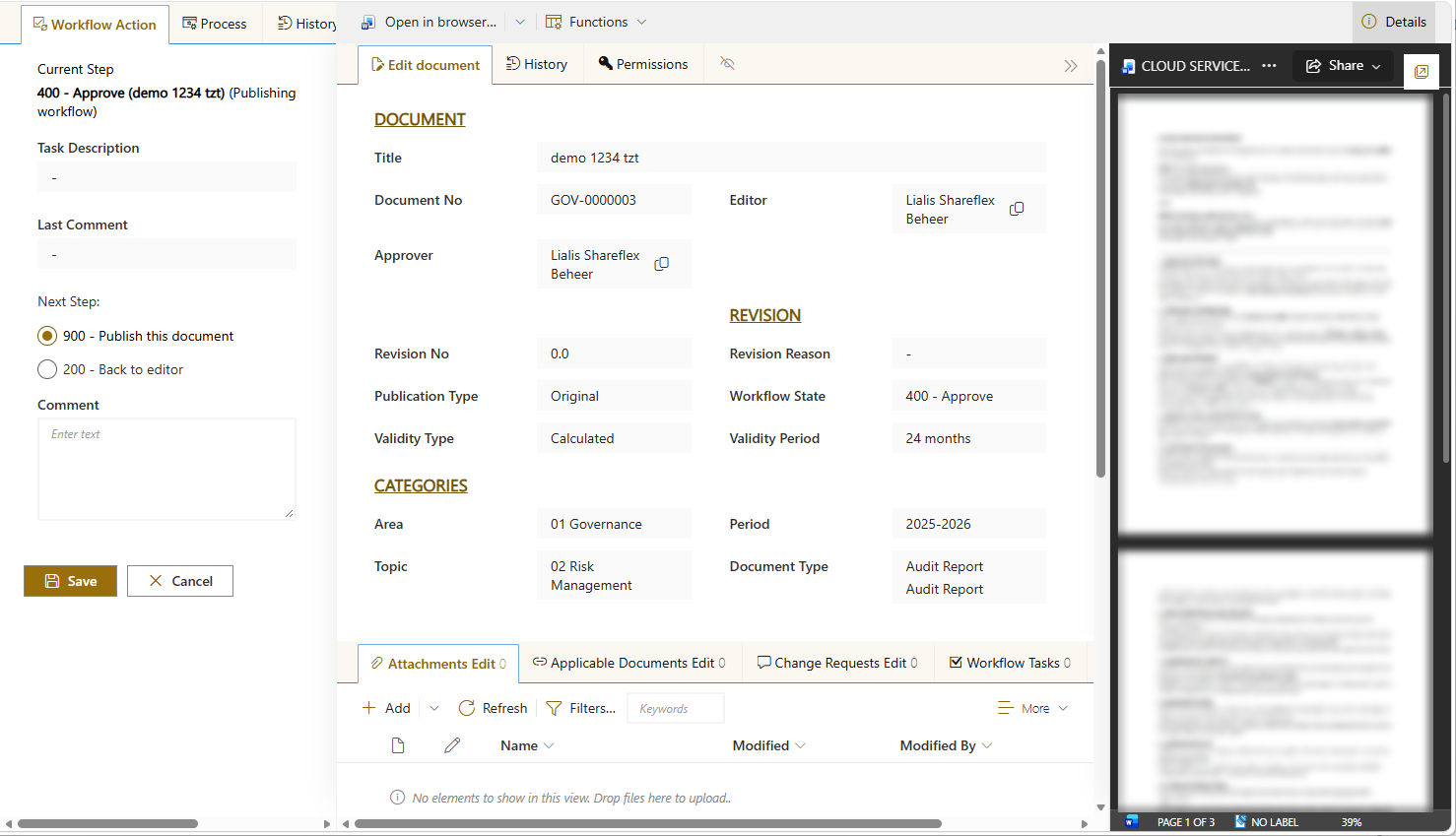
- Validity – calculated: the review date follows from a validity period, for example 24 months.
Shareflex sets the document number automatically per area (for example GOV-0000003) and keeps track of revision number, revision reason and publication type.
One approver, one publication workflow
The client wanted a lean process: one approval level. The editor chooses an approver and starts the publication workflow.
The approver gets a task, reviews the document and decides: publish this document or back to editor with a comment. Every step is logged in the history of the document, so auditors can see who approved what and when.
Valid documents automatically in ISOPlanner
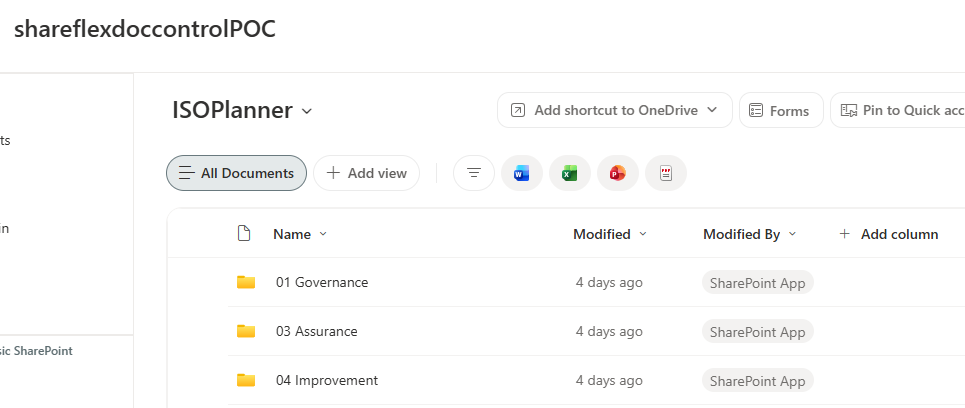
This is where the integration comes in. As soon as a document is published, Shareflex services copy the valid version to a separate SharePoint library: the ISOPlanner shadow library. The folder structure in that library is built from the Shareflex metadata: a folder per area, with folders per period and per topic underneath.
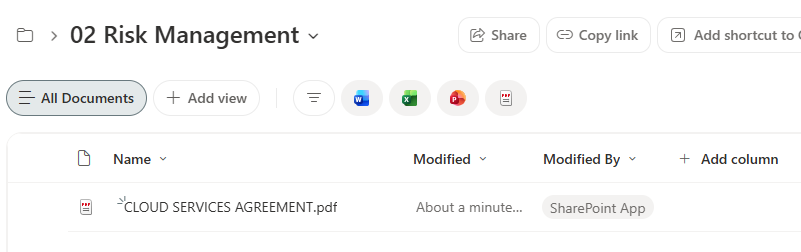
When a new revision is published, it replaces the previous copy in the same place. When a document is withdrawn, it disappears from the library. Users never edit in the shadow library; it is purely the published, read-only view of the document control system.
Linking in ISOPlanner
In ISOPlanner the shadow library is used as the document source. Controls, risks and audit evidence link directly to the published Shareflex documents. Because the location of a document does not change between revisions, the links in ISOPlanner keep pointing to the valid version, without anyone having to update them.
A link back on every PDF
Before a valid document is placed in the ISOPlanner library, it is converted to PDF and passed through our PDF link stamper, a small Azure service called by Shareflex. It stamps a compact “Shareflex Document Control” header on every page of the PDF, showing the title, document type, area, period and topic. The title is a clickable link back to the controlled document in Shareflex.
So whoever opens, downloads or prints the PDF – from ISOPlanner, from an e-mail or from a USB stick – sees at a glance where the document belongs and can go straight back to the source to check that it is still the valid version, with its full history and approvals. Because the stamp is applied every time a new revision is published, it always matches the version in the library. Read how the PDF link stamp works technically, with code.
What it brings
- One source of truth. Documents are written, approved and published in one place.
- Always audit-ready. ISOPlanner only shows approved, valid documents, with the full history in Shareflex.
- No double work. Nobody uploads documents twice or updates links by hand.
- Everything in your own Microsoft 365. Both Shareflex and ISOPlanner keep the documents in your SharePoint tenant.
Also working on NIS2? Read how document management supports NIS2 risk management and cybersecurity.
Frequently asked questions
What is ISOPlanner?
ISOPlanner is a compliance platform built on Microsoft 365 for standards such as ISO 27001, ISO 9001, NIS2 and NEN 7510. It manages the requirements, controls, risks, audits and tasks of a management system, and keeps documents in your own SharePoint.
Why not manage the documents in ISOPlanner itself?
You can, but many organisations want formal document control: document numbers, revisions, an approval workflow, validity periods and an audit trail. Shareflex Document Control does that; ISOPlanner simply links to the result.
Does ISOPlanner always show the latest approved version?
Yes. Only published documents are copied to the ISOPlanner library, and a new revision replaces the previous copy in the same place, so links in ISOPlanner keep pointing to the valid version.
Do we need to change ISOPlanner for this?
No. ISOPlanner works with a SharePoint library as usual. The integration is done on the Shareflex side by Shareflex services.
Want to connect document control to ISOPlanner?
Do you use ISOPlanner, or another compliance tool on Microsoft 365, and want formal document control behind it? Have a look at Shareflex Document Control for SharePoint and ask us for a demo.
